Dashboard
What needs you comes first.
Every session on the box in one list, sorted so the ones waiting on an approval or a question are at the top. Load, memory and disk sit right above them.
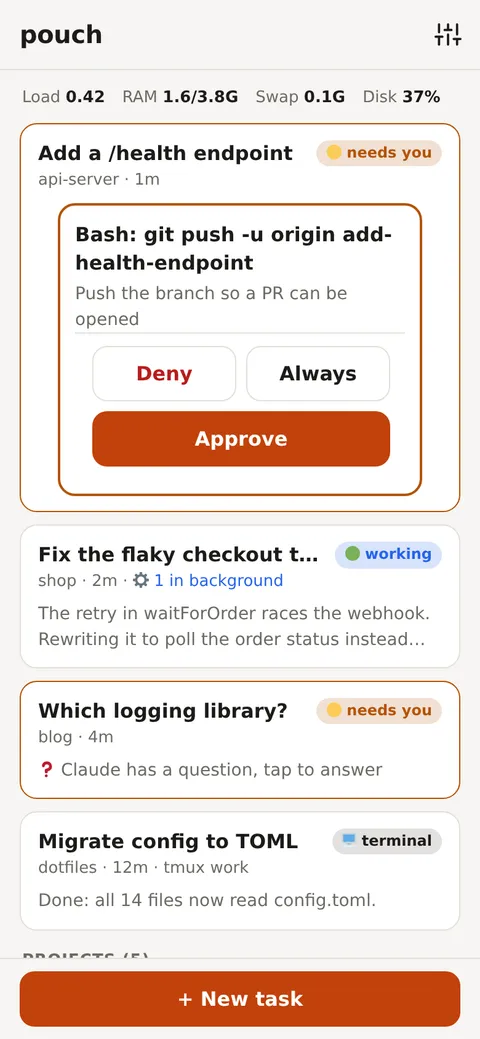
pouch is a phone-first web app for the Claude Code sessions on your own machine. Start a task from anywhere, approve tool calls from a notification, read the diff, and pick the same session up in a terminal later.
Built for the phone
Dashboard
Every session on the box in one list, sorted so the ones waiting on an approval or a question are at the top. Load, memory and disk sit right above them.
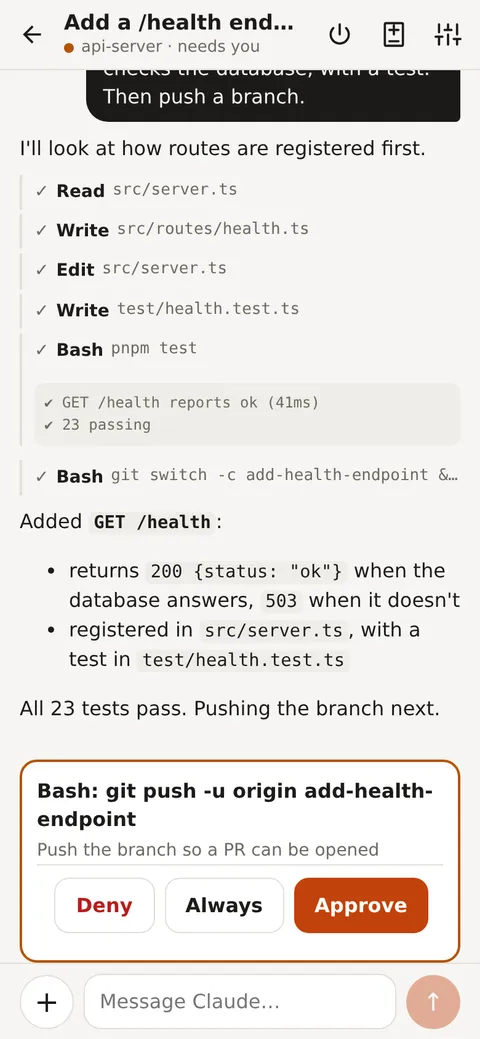
Approvals
Sessions run in auto mode, so a classifier settles most tool calls on its own. The few it can’t decide reach you as a push notification with Approve and Deny right on it.
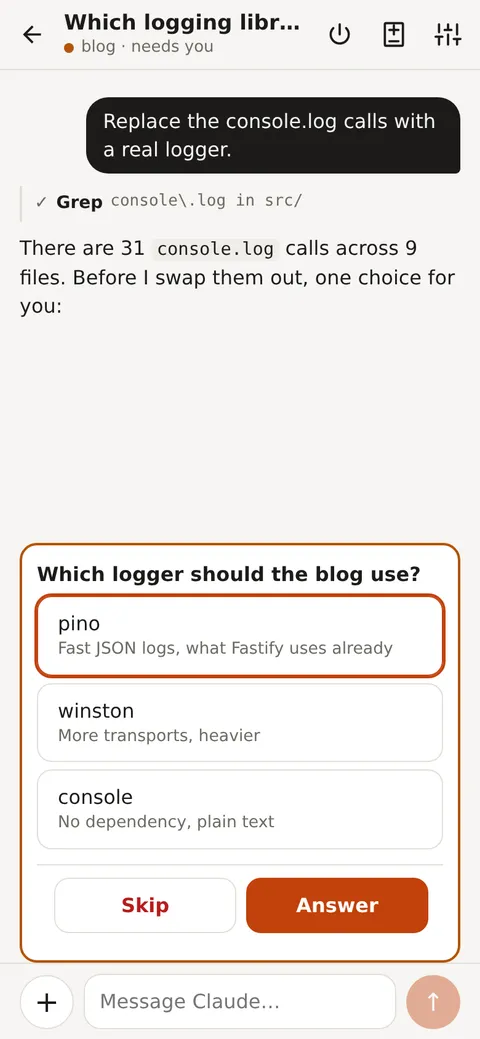
Questions
When Claude asks which way to go, its options show up as buttons. Pick one and the session moves on, no typing on a small keyboard.
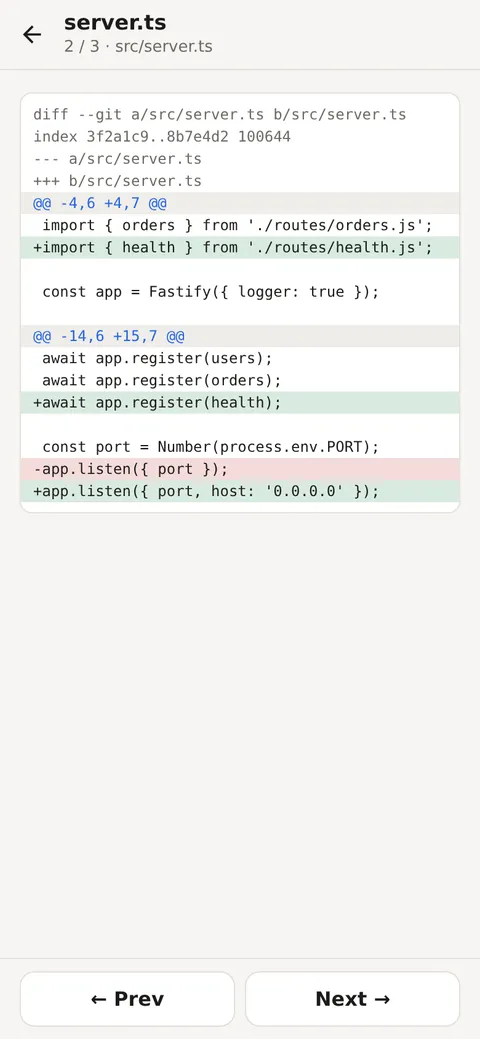
Changes
Uncommitted changes, one file per screen. Swipe to the next file. Edits and writes also show their diff inline in the chat as they happen.
And the rest
Claude sessions running in tmux show up on the dashboard with live busy and idle state.
Every session is a normal Claude Code session. Pick it up later with claude --resume.
Open a shell in any project or worktree, with a key bar for Esc, Tab, Ctrl and arrows.
Clone a repo, pull, or create a folder from the dashboard. Deleting shows exactly what would be lost.
Attach screenshots and photos to a task. Large images are scaled down on the phone first.
Add it to your home screen and it behaves like an app, with notifications that skip while you’re looking.
Security
pouch can run commands on your machine, so it’s built to stay private: off the public internet, behind a login, and checked at every request.
pouch runs on your machine with your Claude Code login. No accounts and no hosted service in the middle.
A random login token guards the API. Add more devices by scanning a QR code with one that’s already in.
Serve it over Tailscale, or put it behind Cloudflare Tunnel and Access to reach it from any network.
Foreign Host headers and cross-site origins are refused, blocking DNS rebinding and drive-by requests.
Install
Clone, install, start. Open 127.0.0.1:8787, paste the token from~/.config/pouch/token, and start a task in any folder under~/Projects.
git clone https://github.com/berkaycubuk/pouch.git && cd pouchpnpm installpnpm startpouch listening on http://127.0.0.1:8787